RocketPlay KYC and Account Verification
 Available in AU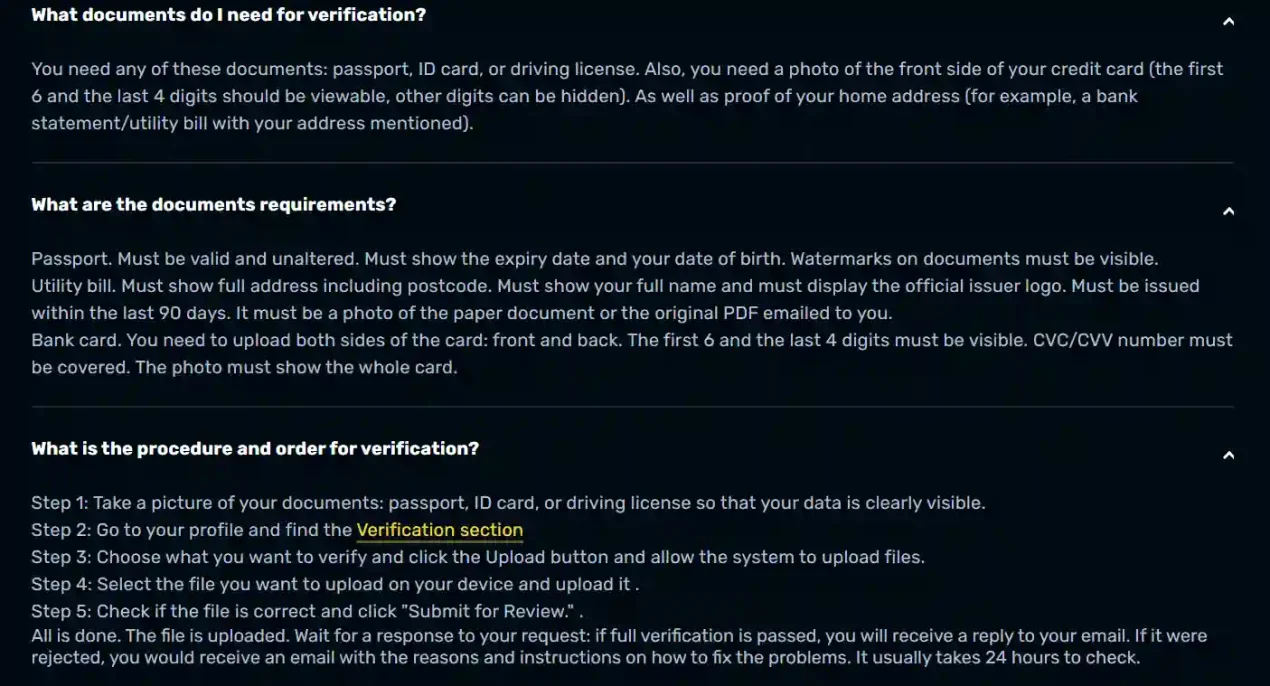
Content
RocketPlay can require account verification, and its current official FAQ says a verification request is sent by email. The same FAQ now publishes the core document categories: a passport, ID card or driving licence for identity, proof of home address such as a bank statement or utility bill, and payment-method evidence when relevant. RocketPlay also states that document review usually takes from 1 to 24 hours, although the operator describes this as a typical timeframe rather than a guaranteed deadline.
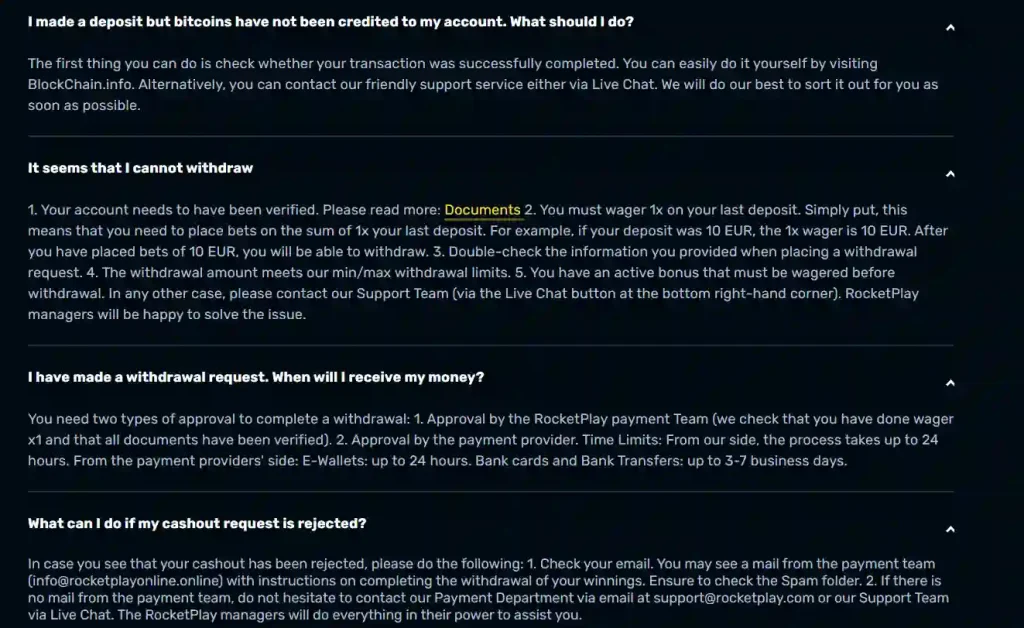
Verification matters most when money is leaving the account. RocketPlay’s withdrawal guidance says an account must be verified before a standard withdrawal can proceed, while the FAQ separately notes an exception for cryptocurrency withdrawals. The practical point is to treat KYC as an account-control step that can affect cash-out approval, not as a vague background formality. RocketPlay currently identifies the verification steps and document requirements that apply to its own process, which are the most relevant reference points for account holders.
When RocketPlay can ask for verification
RocketPlay’s FAQ says verification is performed on request and that the player receives the request by email. Once that request arrives, the FAQ gives a two-week period to complete it. That makes the timing of KYC different from ordinary registration: creating an account and confirming an email address are separate from responding to a later identity check.
The operator explains verification as a way to confirm that the person using the account is the genuine player rather than somebody who has taken control of it. That security purpose matters because the account can hold funds and payment details. KYC is therefore tied to identity, account protection and transaction approval rather than simply to completing a profile.
For the earlier stages of sign-up, email confirmation and password recovery, the separate registration and login is the more useful reference. Keeping the two processes distinct makes troubleshooting easier: a missing activation email is not a KYC problem, while a withdrawal held for documents is not a login problem.
Identity documents listed by RocketPlay
The current FAQ lists a passport, ID card or driving licence as acceptable identity-document categories. It says the document must be valid and unaltered, and identity information must be clear enough to review. For the identity confirmation flow, RocketPlay says the document should be submitted as a photo rather than a screen capture or scan, in JPG format, with a file size of no more than 10 MB.
RocketPlay also says the face and the data on the document should be visible and legible. On its passport guidance, the operator specifically refers to the expiry date, date of birth and visible document watermarks. These are useful current requirements because they come from RocketPlay’s own verification instructions rather than from a generic casino KYC checklist.
Document requirements can still change. The live Verification section inside the account remains the operational reference for what is being requested from a particular user. If the account asks for a different or additional document, that live request should take priority over a static guide.
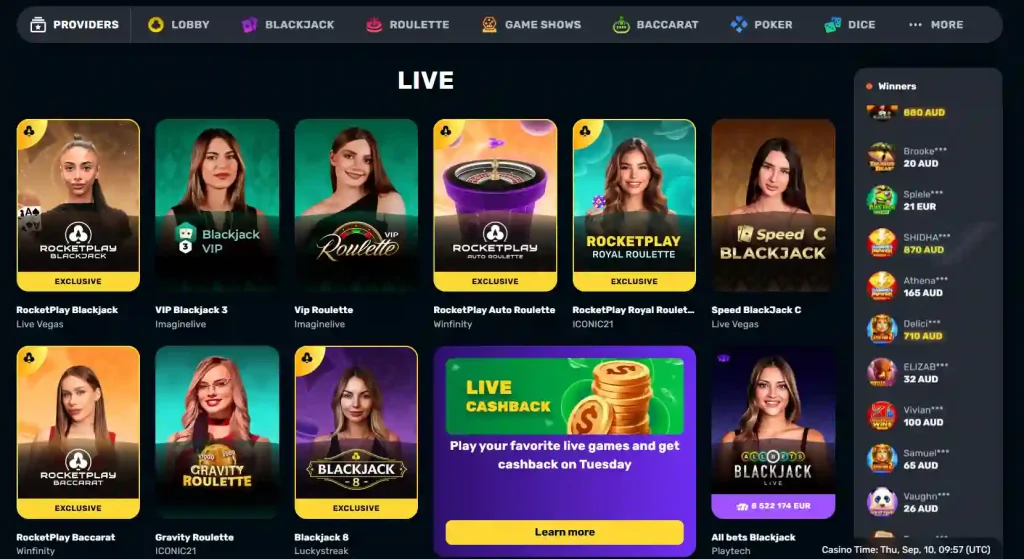
See also RocketPlay Live Casino and Dealer Games .
Proof of address requirements
RocketPlay’s FAQ lists a utility bill, phone bill or bank statement as examples of proof of address. The document must show the player’s full name and full address, including the postcode where applicable. The operator says the address document must have been issued within the previous 90 days.
The FAQ also states that screen captures are not accepted for address verification and that the upload should be a JPG file of no more than 10 MB. Elsewhere in the same guidance, RocketPlay says a utility bill may be a photo of the paper document or the original PDF received by email. Because those instructions are not worded identically across every FAQ answer, the safest operational approach is to follow the format requested by the live upload screen for the specific verification task.
This is a good example of why KYC guidance should be specific without pretending every case is identical. The document category can be stated directly from the official FAQ, while the account’s current upload control should resolve any format difference at the moment of submission.
Payment card and deposit-method verification
RocketPlay’s verification guidance can also involve the payment method. For a bank card, the FAQ says the first six and last four digits should remain visible while the other middle digits can be hidden. It also says the CVC or CVV must be covered. Another FAQ entry says both sides of the card may be requested and the whole card should be visible in the submitted image.
The reason for keeping this section narrow is security. A verification request should never require exposing the full card number together with the security code. RocketPlay’s published instructions explicitly tell users to conceal the CVC or CVV. A request that contradicts the operator’s own secure-document instructions should be checked with support before sensitive information is sent.
Payment-method verification can be relevant to withdrawals because the operator may need to connect the account holder with the funding method. The broader withdrawals guide explains the cash-out stages separately, including the distinction between RocketPlay’s own approval step and the later payment-provider stage.
How the upload process works
RocketPlay publishes a step-by-step verification path in its FAQ. First, the player prepares a clear photo of the requested document. Next, the account profile is opened and the Verification section is selected. The relevant verification item is chosen, the Upload control is used to select a file, and the file is checked before choosing “Submit for Review.”
After submission, RocketPlay says the result is communicated by email. If verification passes, the account receives confirmation. If a document is rejected, the email should contain the reason and instructions for correcting the problem. The status can also be checked from the same Verification area of the profile where the files were uploaded.
This is more useful than treating KYC as a single upload event. In practice there are several checkpoints: receiving the request, identifying the requested category, preparing an acceptable file, submitting it, checking status and responding if the operator asks for a replacement. A failed file does not necessarily mean the account itself has failed verification permanently.
How long verification usually takes
RocketPlay’s current FAQ says document approval usually takes from 1 to 24 hours. Another answer describes the review as usually taking 24 hours. Those statements are consistent enough to describe a normal operator-stated review window of up to about a day, but they should not be read as a guaranteed maximum for every case.
A review can take longer if a document is rejected, unreadable, expired or does not match the request. The FAQ tells users to contact support if the expected approval does not appear.
The difference between a normal review window and a guaranteed payout time is important. Verification is only one part of a withdrawal. Even after KYC is complete, the withdrawal can still have an operator approval stage and a payment-provider processing stage.
Verification and withdrawals
RocketPlay’s FAQ states that a standard withdrawal requires a verified account. It also says the last deposit must be wagered 1x before withdrawal. The separate withdrawal material then describes payment-team review and provider processing. Together, those pieces show why a cash-out can be delayed before it ever reaches a bank or other provider.
The FAQ contains a cryptocurrency-specific statement saying verification is not required before a crypto withdrawal. That is a narrower exception to the general withdrawal-verification wording, not a basis for claiming that RocketPlay is a “no KYC” casino. Account checks can still be requested under the operator’s verification rules, and the live account state remains decisive.
For an Australian reader, it is also important not to confuse KYC with local licensing. Identity verification by RocketPlay does not mean the service is licensed in Australia. The trust and complaints page deals with the operator, Curaçao licence and ACMA record separately.
Why documents can be rejected
RocketPlay says documents can be rejected and that alternative documents or copies may be requested. The most obvious avoidable causes are visible in its published requirements: an expired identity document, unreadable data, incomplete framing, an address document that is too old, an unsupported image format, or a card image that does not follow the masking rules.
The useful response to rejection is to read the stated reason before uploading again. Repeatedly sending the same unsuitable file is unlikely to solve a formatting or visibility problem. If the rejection explanation is unclear, the support route is more appropriate than guessing which additional personal document might be wanted.
Users should also keep document handling proportionate. Submit only through RocketPlay’s official account verification interface or another support route clearly identified by the operator. Avoid sending identity files to addresses, chat accounts or upload pages reached through unrelated third-party sites.
A practical verification checklist
- Wait for the actual RocketPlay verification request and read which category is being requested.
- Use a valid passport, ID card or driving licence when identity confirmation is required.
- Make sure the image is clear, unaltered and shows the required identity data.
- For proof of address, use a current document showing the full name and address and follow the live upload format.
- For card verification, keep only the first six and last four digits visible and cover the CVC or CVV.
- Upload through the Verification section in the account and check the file before submitting it for review.
- Watch the document status and email for approval or a rejection reason.
Following RocketPlay’s stated process also keeps sensitive payment details protected and makes it easier to identify whether a delay belongs to KYC, casino-side withdrawal approval or the payment provider.
What RocketPlay clearly documents
RocketPlay’s official FAQ now provides enough detail to describe its verification process directly: requests can arrive by email, identity and address evidence can be required, payment-card evidence can be requested, files are submitted through the account Verification section, and document review usually takes 1 to 24 hours. These details are materially stronger than generic third-party KYC descriptions because they come from the operator’s live support material.
Those published details still have limits. A published checklist cannot predict every account-specific request, and the stated review window is not a guaranteed completion time. Verification also does not settle the separate questions of payment-provider timing or Australian regulatory status. RocketPlay KYC and Account Verification — More on this topic at rocket play casino .
This material was created by the RocketPlay Guide team.
Related posts
RocketPlay Withdrawals: Limits, Timing and Verification

RocketPlay Pokies for Australian Players